
Author: Zyla H.
Editor: Leoni A.
Translation: Yukinobu N.
Introduction
As a new school year begins, it’s a great time to reflect on your habits and start strong with better organization. Whether you’re managing a full class schedule, juggling part-time work, participating in clubs, or trying to maintain a healthy social life, staying organized can make your days feel more balanced and less overwhelming. Fortunately, there are many free tools available that can help you become more efficient and less stressed. This article introduces five free apps that work seamlessly on both Android and iOS devices, helping you stay productive, focused, and prepared throughout the semester.
App Recommendations
1. Google Calendar – Never Miss a Deadline
Google Calendar is one of the most dependable and easy-to-use scheduling tools out there, especially for students. You can map out your entire semester by inputting your class timetable, club meetings, exam dates, and assignment deadlines. Events can be color-coded by category—for example, blue for classes, red for tests, and green for personal plans—so you can instantly get a visual overview of your week. You can also set reminders or notifications so you’re never caught off guard by a last-minute deadline. Since everything syncs across your devices in real time, you can make updates on your laptop and check them on your phone while on the move. Whether you’re planning your day, week, or month, Google Calendar ensures that nothing slips through the cracks.

2. Notion – Your Personal Productivity Hub
Notion is an incredibly flexible workspace that can adapt to your unique way of learning and organizing. At its core, Notion combines note-taking, task management, and database creation into one sleek platform. You can create customized pages for every subject, build a master to-do list for your semester, track your assignment progress, and even keep a personal journal—all in the same app. For group projects, you can collaborate in shared pages and leave comments for teammates. Notion supports images, links, checklists, tables, and more, so you can build pages that make sense to you. Though it may take a little time to set up and get used to, once you do, it becomes a digital workspace you can truly call your own.

3. Todoist – Simple Task Manager
If you’re someone who thrives on to-do lists and the satisfaction of checking things off, Todoist is your perfect companion. It’s a lightweight yet powerful task management app that helps you break big projects into small, manageable steps. You can create tasks with due dates, set recurring tasks for daily habits like reviewing notes, and organize everything into custom categories such as “School,” “Personal,” or “Errands.” Todoist’s clean design makes it easy to focus on what matters most each day, and the app gives you a productivity score to motivate you to stay consistent. It’s also great for busy students because it integrates with other platforms like Google Calendar and Gmail. With Todoist, your tasks won’t feel overwhelming—they’ll feel doable.

4. Forest – Stay Focused, Stay Fresh
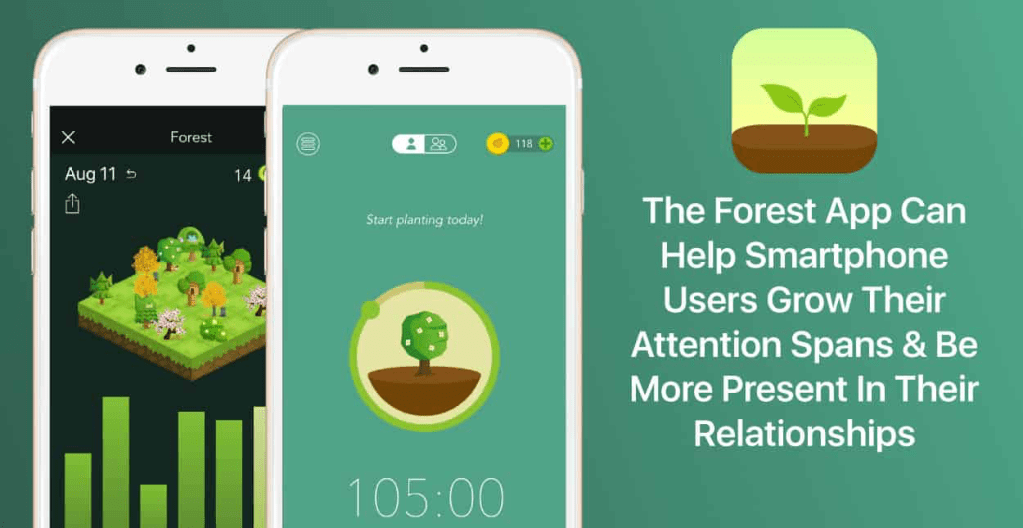
We all know how hard it can be to focus when your phone is buzzing with notifications or tempting apps. Forest provides a playful yet powerful solution to this problem. When you want to concentrate, you open the app and plant a virtual tree. If you stay off your phone, the tree grows. But if you exit the app to check Instagram or scroll through TikTok, your tree dies. This unique approach turns focus time into a rewarding game and helps you build discipline in a fun and visual way. Over time, you can grow a digital forest that represents all your focused study sessions, giving you a sense of achievement. Forest also tracks your daily and weekly focus time so you can monitor your growth. It’s a creative way to make productivity feel more rewarding.
5. CamScanner / Adobe Scan – Scan & Organize Your Notes
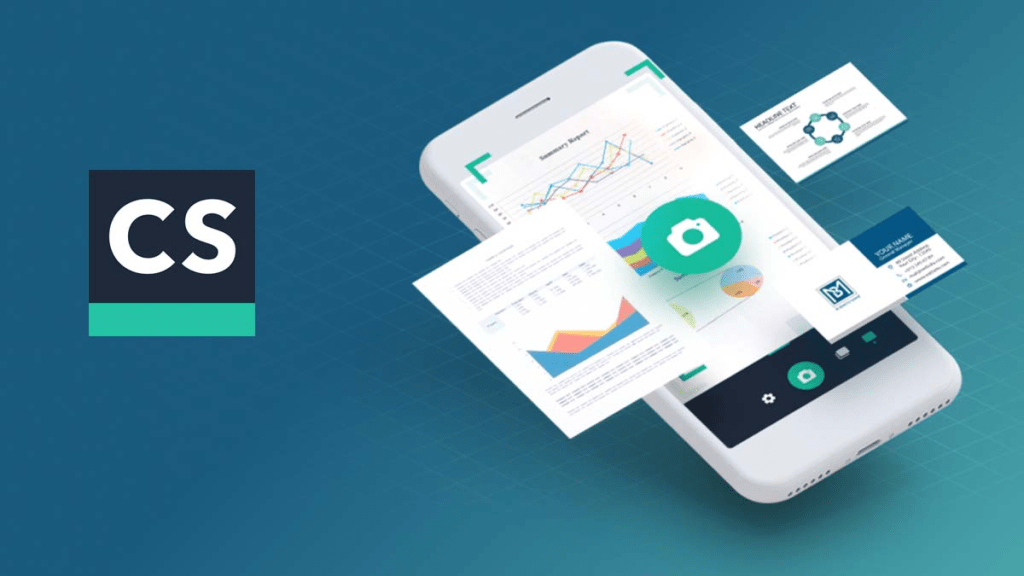
In today’s fast-paced academic life, keeping track of loose papers, lecture notes, and handouts can be tricky. That’s where CamScanner or Adobe Scan comes in. These apps let you use your smartphone camera to scan physical documents and turn them into high-quality, readable PDFs. You can enhance the image, crop edges automatically, and even convert handwriting to text using OCR (optical character recognition). Once scanned, you can save files to your phone or cloud storage, making them easy to organize and access anytime. It’s perfect for digitizing class materials, preserving whiteboard explanations, or sharing notes with classmates. These tools are especially helpful for students who prefer a clutter-free study space or want quick access to their materials on the go.
Conclusion
Being a student often means wearing many hats—learner, planner, teammate, and friend. Having the right tools can make all the difference in managing your responsibilities without burning out. These five free apps offer simple yet effective ways to stay on top of your schedule, tasks, focus time, and study materials. Whether you’re new to college or a senior prepping for graduation, taking the time to build good habits now will benefit you long after the semester ends. Try out one or two of these apps this week and see how they fit your style. Remember, organization isn’t just about using apps—it’s about being consistent, prioritizing your goals, and using your time wisely. Here’s to a productive and stress-free school year ahead!




 Times Of TIU
Leave a comment